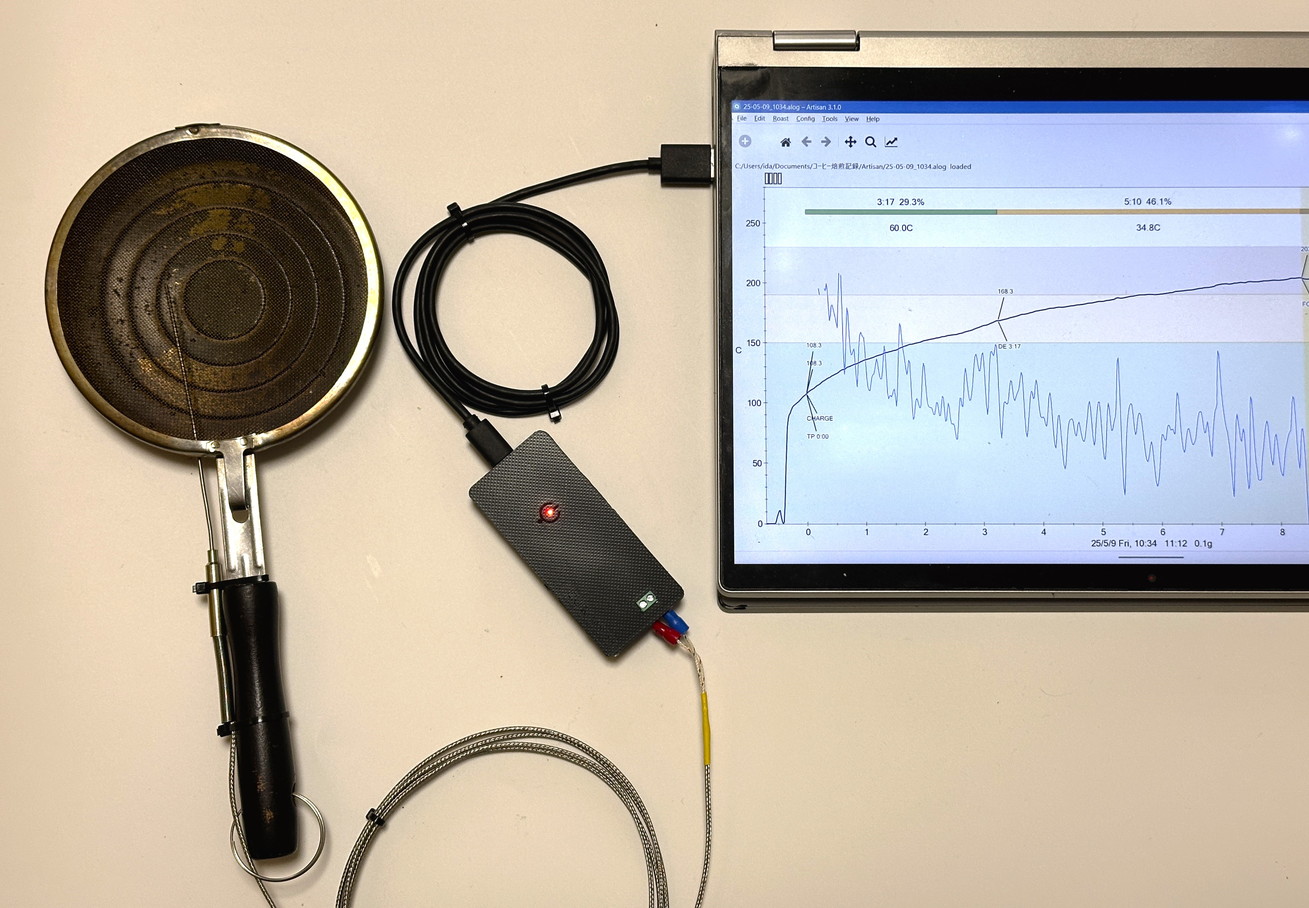
UZU ROASTER
– Making Roasting More Accessible and Effortless with IoT –
UZUUZU Coffee Roasters Workshop
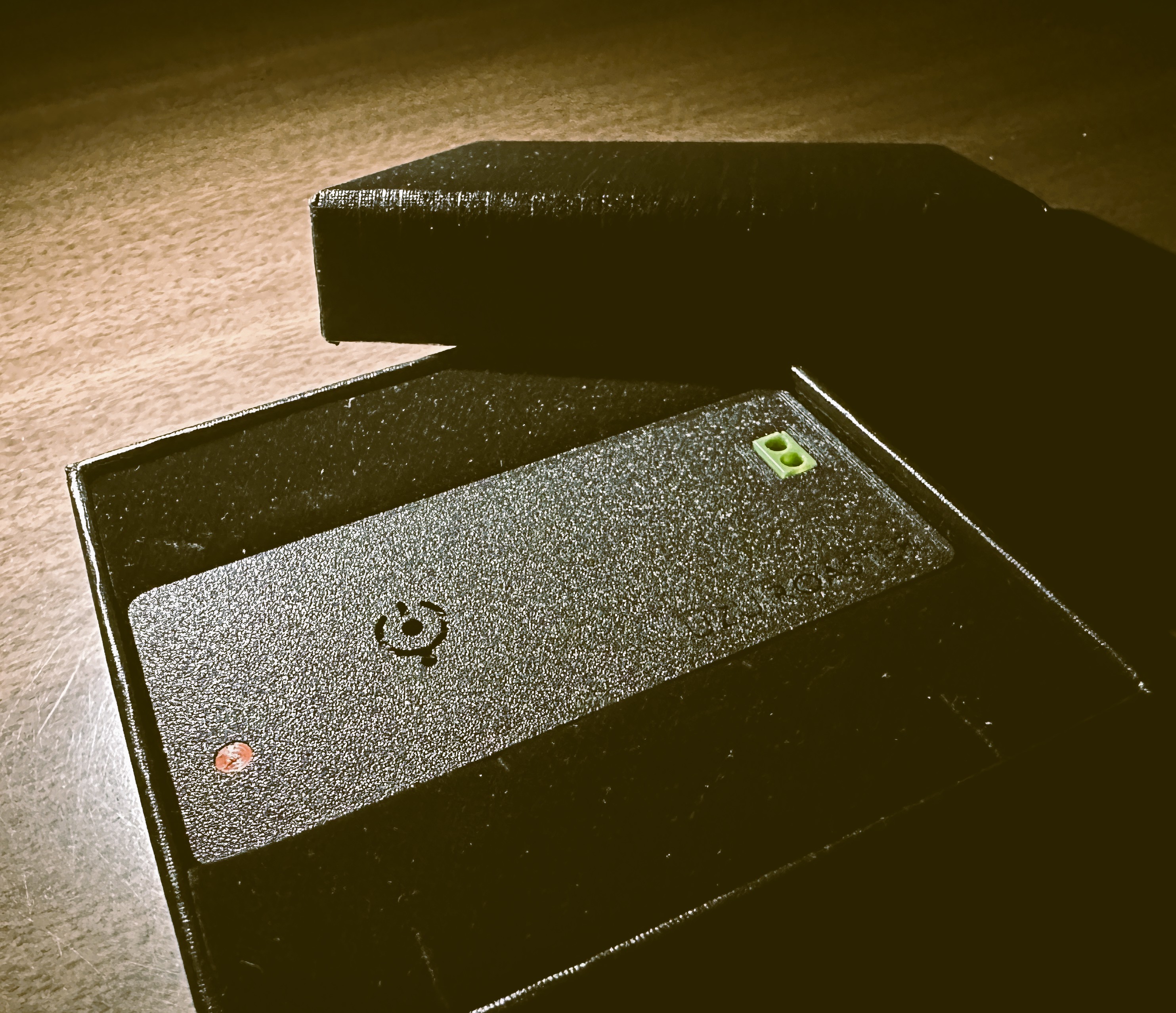
'UZU ROASTER' UZ-01 is a Frisk-sized(※1) IoT temperature measurement module for coffee roasting, achieving remarkable miniaturization based on ESP32 + MAX31855K. It is a next-generation controller that lets you monitor temperature and adjust heat directly from your browser.
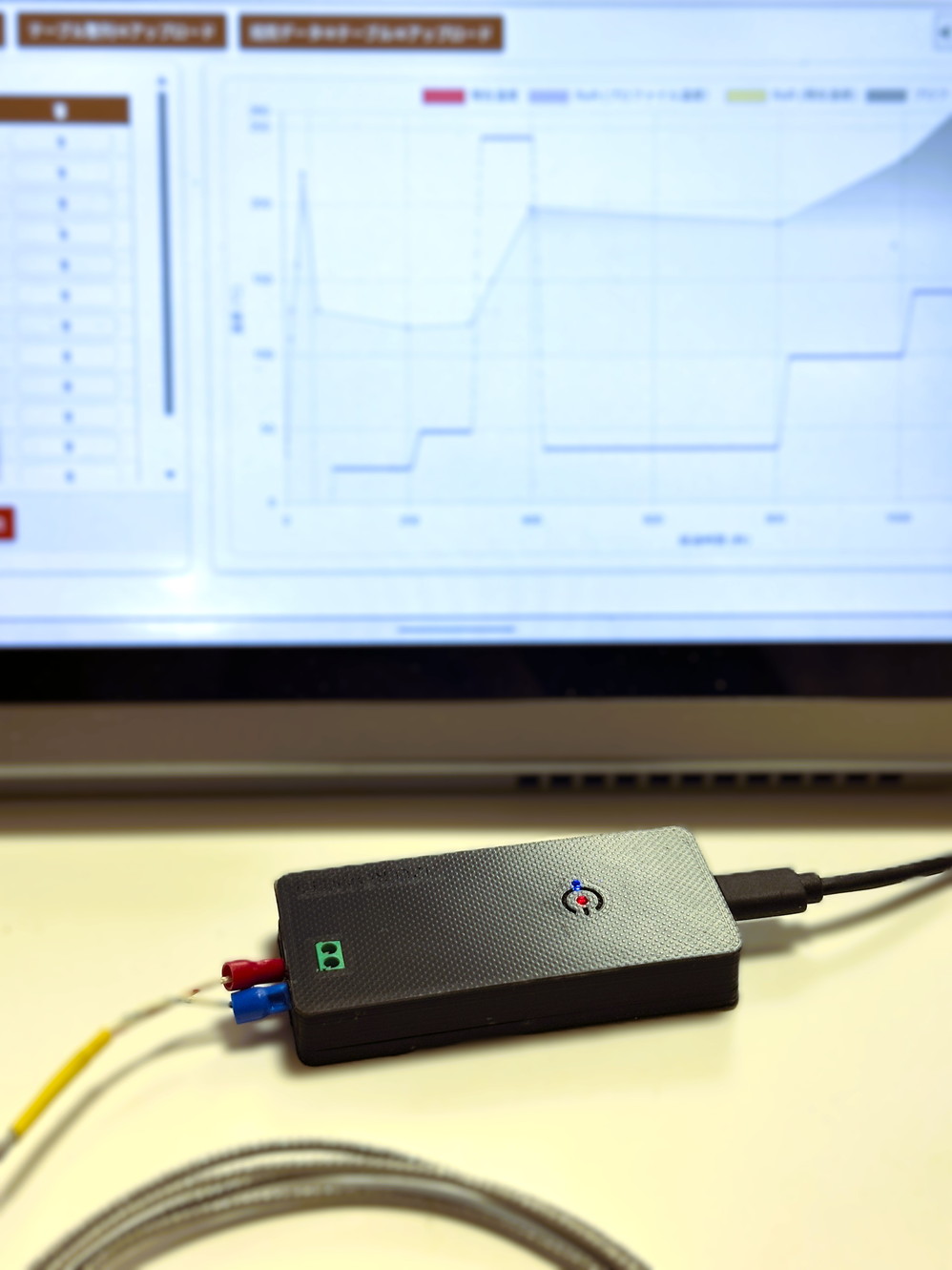
— A Gadget That Never Stops Evolving —
Current Version: 1.4.0 / CodeName: Antigua / Last Updated : 2026.10.7
Major Release / Development Roadmap
| Version | Code Name | Features |
|---|---|---|
| 1.x | Antigua | Coffee bean temperature measurement / UZCP beta / Various connectivity features |
| 2.x | Bourbon | UZ-03 support / Full UZCP support / Roasting via G-code compatible 3D printer |
| 3.x | Caturra | Remote roasting control via drone transmitter (ELRS radio) and VTX (video receiver) |
| 4.x | Djimmah | Roaster control functionality / Pudding & rice cooker modes |
| 5.x | Ethiopia | Roasting via robotic arm / humanoid robot |
Are you making compromises with your everyday coffee?
Home coffee roasting may not yet be common in many households.
Yet the rich aroma and flavor that coffee truly offers come only from freshly roasted beans.
In Western countries and beyond, home roasting has already become a part of daily life for coffee enthusiasts.
We want to bring this wonderful culture to more people around the world — so that anyone can more easily and more authentically enjoy a fresh, uncompromising, truly delicious cup every day.
To that end, we hope UZU ROASTER (UZU Roaster) — enabling smart temperature management for coffee roasting — can help you brew a cup that's just a little bit better than before.
UZU ROASTER is an IoT device that connects to small coffee roasters or hand pans to acquire temperature sensor data in real time.
The data is displayed on the PC software Artisan or on the built-in web page of UZU ROASTER (UZU Roaster Controller), providing powerful roasting assistance.
Wi-Fi connectivity allows you to check your roast status and change settings from a PC or smartphone.
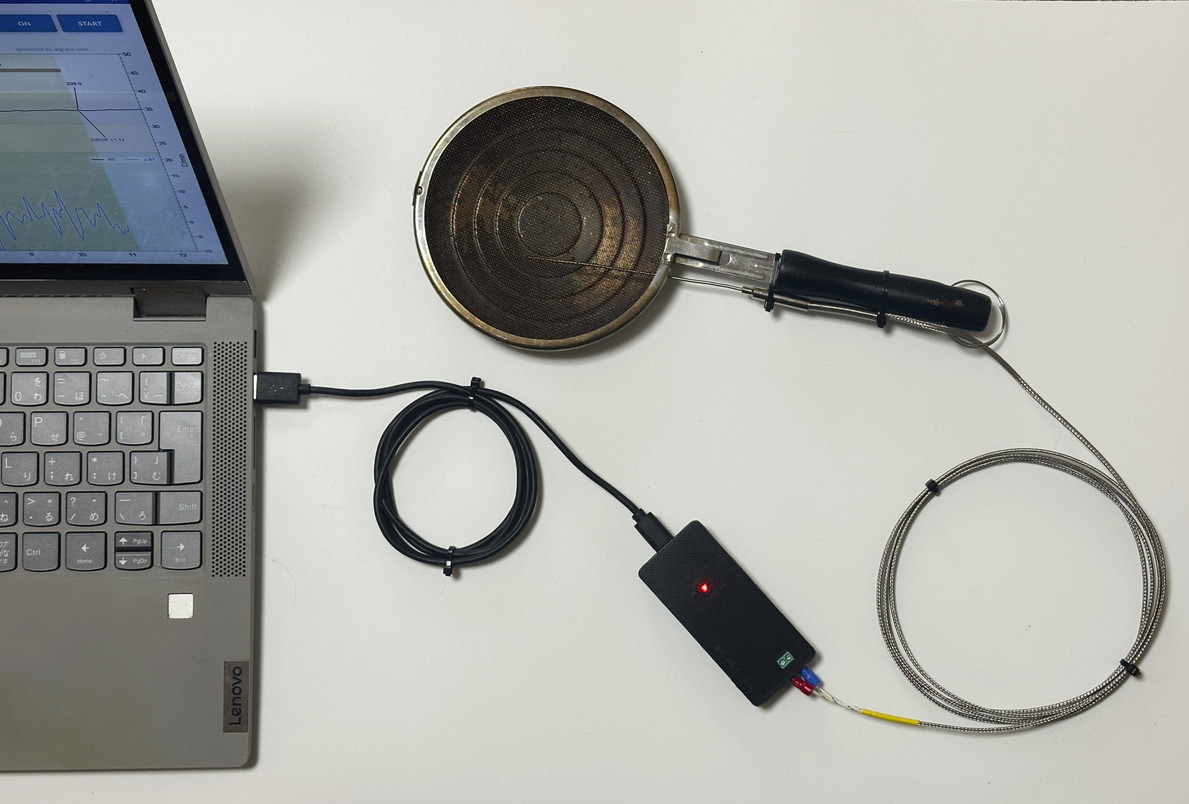
The ESP32 + MAX31855K configuration achieves fast, high-accuracy temperature monitoring using a K-type thermocouple.
Even the finest changes during roasting won't go unnoticed.
The UZU Roaster Controller (URC) features a beautiful web interface operable from both PC and smartphone.
Intuitively control heat and roasting profiles directly from your browser.
Integrates with Artisan (professional roasting software) via serial communication / Wi-Fi(※2).
Fits seamlessly into your existing workflow.
Simple to integrate into DIY roasters.
PWM and digital output for compatibility with various roasting equipment (planned).
UZU ROASTER source code is fully available on GitHub.
Customizable by users with Arduino IDE, Visual Studio Code, or similar development environments.GitHub
| Item | Specification |
|---|---|
| Product Name | UZU ROASTER (MODEL: UZ-01) |
| Microcontroller | ESP32 (WROOM/DevKitC) |
| Temperature Sensor | MAX31855K (K-type thermocouple compatible) |
| Temperature Range | 0°C – 1000°C |
| Temperature Accuracy | ±0.25°C + thermocouple accuracy |
| Operating Temperature | 0–40°C |
| Connection | USB 2.0 (Full Speed) – CDC class, or Wi-Fi (Japan radio law compliant) |
| Wi-Fi Standard | IEEE 802.11 b/g/n 2.4GHz (Security: WPA/WPA2) |
| Power Supply | USB Type-C (5V / 500mA or more) |
| Power Consumption |
Wi-Fi active: 250mA Wi-Fi standby: 110mA Low-power mode: 15mA or less |
| Output Control | PWM / Digital output ※ Supported from Version 3.0 onwards |
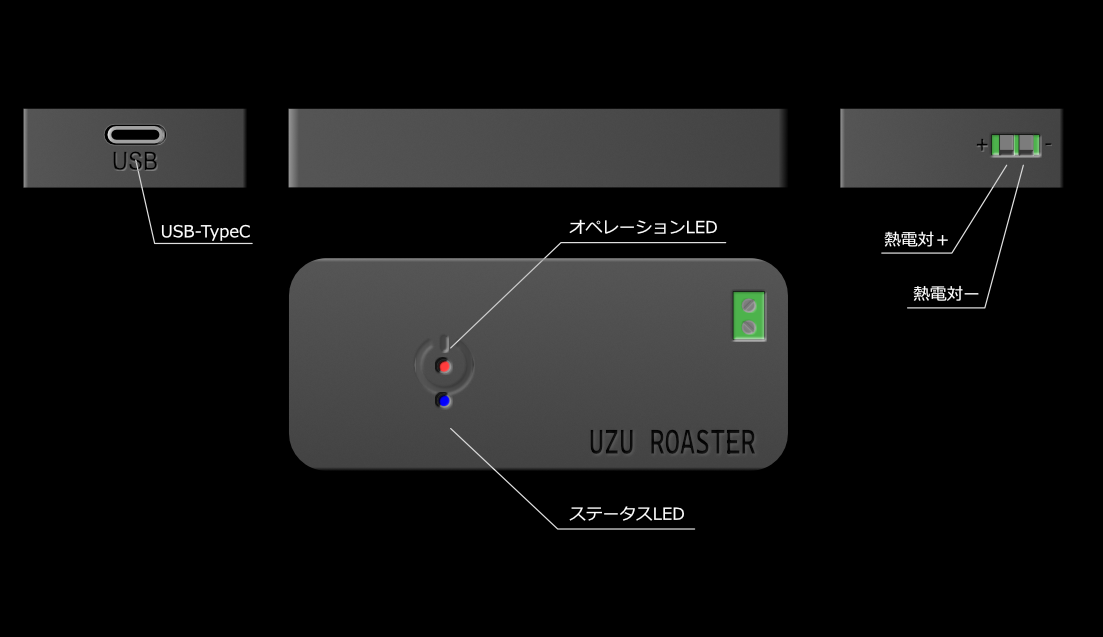
| Status Indicators | Power LED, Communication status LED |
| Dimensions | W82mm × D37mm × H13mm |
| Weight | Approx. 29g |
| Material | PLA (Polylactic Acid) |
| Included Accessories | UZ-01 unit, Quick Start Guide |
| Required Equipment (sold separately) | K-type thermocouple, USB cable, PC (or tablet) |
| Selling Price |
Unit (UZ-01)
: ¥4,980–¥7,500 (tax included)
Pan Roasting Starter Kit (USK-01)
: ¥7,980–¥10,500 (tax included)
(※) Prices may vary depending on shipping and service fees. Please check the sales site for details. |
For those who want precise control over the temperature and heat of their roaster.
Combine with your DIY roaster to create and reproduce roasting profiles.
Why not support the project and help shape the future of coffee roasting together?
For those who already own a roaster, we recommend the UZU ROASTER unit. For those looking to start roasting easily from scratch, we offer the Pan Roasting Starter Kit — which includes a roasting pan, thermocouple, USB cable, and the unit.
※ Coming soon
Answers to common questions about UZU ROASTER.
Is your UZU ROASTER powered on?
Please confirm that the red LED in the center of the UZU ROASTER (UZ-01) is lit. If it is not lit, check the USB cable connection and ensure you are using the specified USB cable. If the red LED still does not light up under any circumstances, there may be a malfunction. Please contact our support team.
Please check the connection between the K-type thermocouple and the UZ-01 unit.
If the thermocouple is not connected correctly, the temperature may display as 0.0°C. Additionally, the thermocouple might be broken or damaged, so we also recommend trying a different thermocouple.
Yes, it is designed to be beginner-friendly.
UZU ROASTER can be used simply by attaching a temperature sensor to your roaster. No complicated setup required — temperature monitoring starts as soon as the app is launched. Please refer to the Setup Guide and Manual for details.
Any standard K-type thermocouple can be used.
It is included in the starter kit, and can also be found on online retail sites such as Amazon. Searching for "K-type thermocouple" should help you find one easily. Any commercially available general-purpose thermocouple that matches the K-type specification is compatible.
(※)The optimal thermocouple probe shape varies depending on the roaster it is attached to, which is why UZ-01 is not sold bundled with a specific thermocouple.
The following K-type thermocouples have been confirmed to work with UZ-01:• uxcell K Type Thermocouple Temperature Sensor Probe Stainless Steel 1.5 x 100mm 2M Wire 0-1000°C
• 0-800°C M8 1–5m K-Type 50–200mm Probe Screw Cable Thermocouple Oven Temperature Sensor
If connecting a thermocouple with U-shaped +/− terminals to the UZ-01, please refer to the Universal Thermocouple Connection Guide to modify the tip.
Yes, it can be used with any roaster as long as the sensor can be physically installed.
UZU ROASTER uses a standard "K-type thermocouple," making it compatible with most roasters. You can install it if there is a gap (3–5mm in diameter) to pass the sensor through, and the sensor tip can reach the coffee bean layer without interfering with the rotation.
If you are unsure about the installation, please contact us with the name/model of your roaster. We will provide advice on the best installation method based on its structure.
Accuracy of ±0.25°C + thermocouple accuracy is achieved.
The combination of ESP32 and MAX31855K enables professional-grade temperature measurement. The linear temperature correction feature introduced in Version 1.3.0 allows for accurate measurement tailored to your environment.
No, it is not required.
UZU ROASTER has a built-in web server with the built-in Web UI "UZU Roaster Controller (URC)" available. It can be operated directly from a browser on a PC or smartphone.
You can also read the temperature by observing the LED blink pattern on the unit itself by setting the status LED to "temperature display mode".
(※ By default, pressing the option button once switches to temperature display mode.)
Please use USB connection instead.
In environments without Wi-Fi, the same functionality is available by connecting directly to a PC via a USB Type-A to Type-C cable. Connecting to a smartphone using a conversion adapter is also possible.
On smartphones, please use the UZU Roaster Controller (URC).
Yes, it can be used with multiple roasters.
However, a single UZU ROASTER cannot measure multiple temperatures simultaneously. If you want to use it with multiple roasters at the same time, please purchase multiple UZU ROASTER units. Each device will be identified by a different network ID.
Temperature logs can be recorded and saved with Artisan.
The UZU Roaster Controller (URC) also saves data to the device's local storage (cache). Data can also be saved to any file by copying and pasting into a text editor.
Cloud save functionality is currently in development and will be released based on user demand.
USB power supply is required.
UZU ROASTER requires a USB power source of 5V/500mA or more. Using a mobile battery allows for near-cable-free operation. A battery box is currently under development.
Yes, you can.
The UZU ROASTER source code is fully available on GitHub and can be customized using Arduino IDE or Visual Studio Code. However, any modifications are at your own risk. Issues caused by modifications are outside the scope of support.
If you cannot connect to UZ-01 via Wi-Fi in AP mode, another device may already be connected. UZ-01 allows a maximum of 1 Wi-Fi device by default, so please disconnect the currently connected device first.
Wi-Fi may also disconnect when the connection is unstable. Ensure adequate signal strength, and if the signal is weak or unstable, relocate UZU ROASTER to a place with less interference.
(Disconnecting the power supply to reset UZ-01 and then reconnecting may also help.)
Yes, the module used for Wi-Fi is certified under Japan's Radio Law (Giteki).
The Wi-Fi functionality of UZU ROASTER uses a Giteki-certified module compliant for use within Japan. Please use it with confidence.
There is no specific warranty period for this product.
We will endeavor to provide support for failures occurring under normal use conditions. Please feel free to contact us via the inquiry form for details.
Fraudulent websites using unauthorized copies of UZU ROASTER photos and text have been identified.
UZU ROASTER (UZU Roaster) is sold exclusively through the following official channels:
※ Ordering from any site not listed above (especially those claiming significant discounts) may result in non-delivery of goods or theft of personal information. Please do not purchase from such sites.
[Notes]
(※1) As of May 2026, one of the lightest modules in the world capable of transmitting coffee roasting temperature data to measurement loggers such as Artisan via USB/Wi-Fi.
(※2) Wi-Fi connection to Artisan (WebSocket communication) supported from Version 1.2.0.
(※3) UZCP Open Protocol (Coming officially in 2026).
Primarily responsible for software design including UI, UX, and OS of measurement instruments at Horiba, Ltd.
Also supported the development of numerous high-precision measuring instruments such as thermometers.
Now spun out, leveraging that experience as the founder of UZUUZU Honpo while also engaging in game and gadget development.
In the LINE OpenChat "UZU ROASTER Users Community", roasting profiles are shared and the latest update information is announced ahead of release. Enjoy roasting more freely and joyfully with the developer and fellow enthusiasts!
Join the OpenChat Scan with your phone